Roomtone

Shopify theme Online Store 2.0 Version 0.1.0

For podcasts that sell

A storefront for shows with something to sell: merch, memberships and gear, with every episode playing right inside the store.

● Coming soon to the Shopify Theme Store

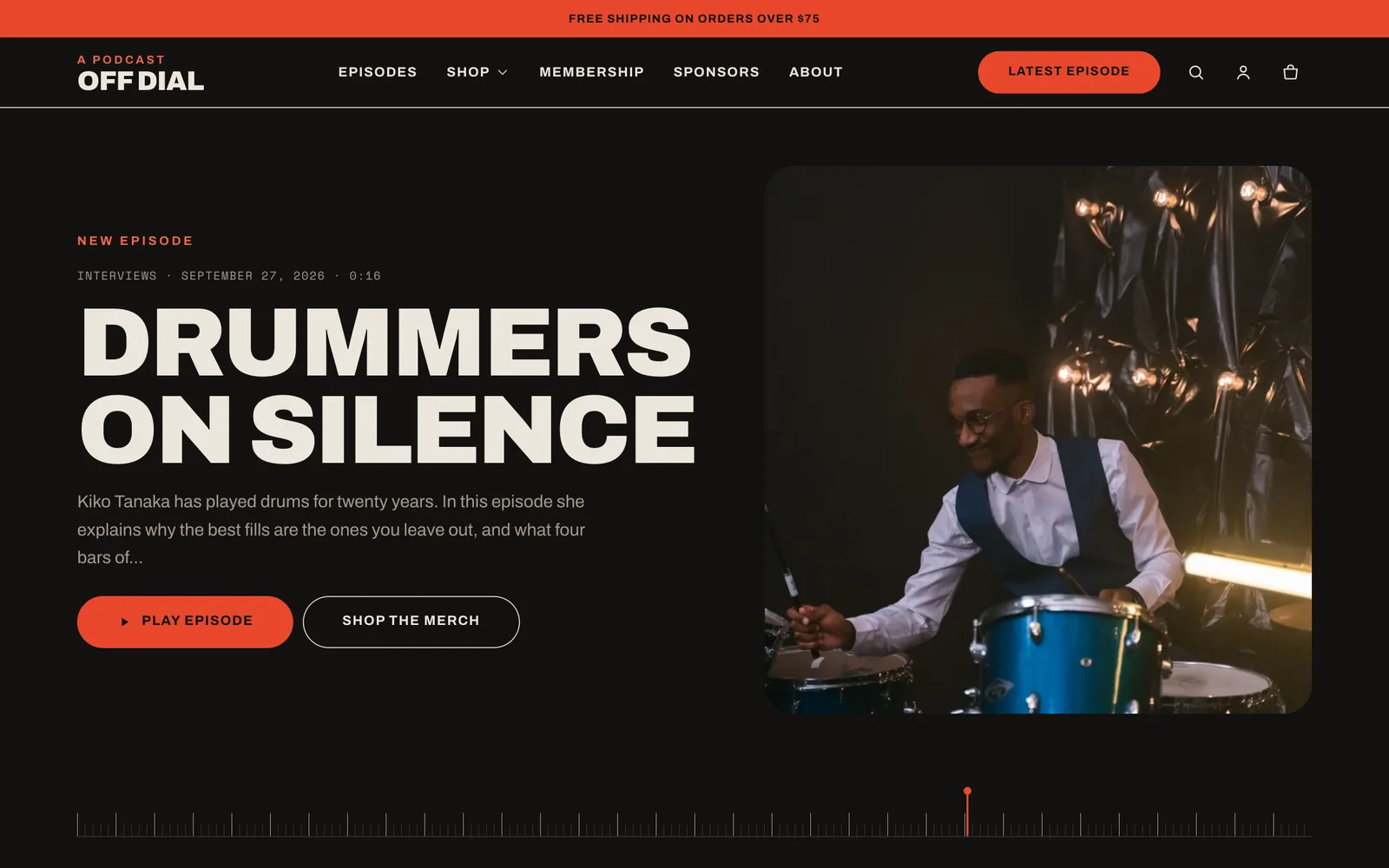
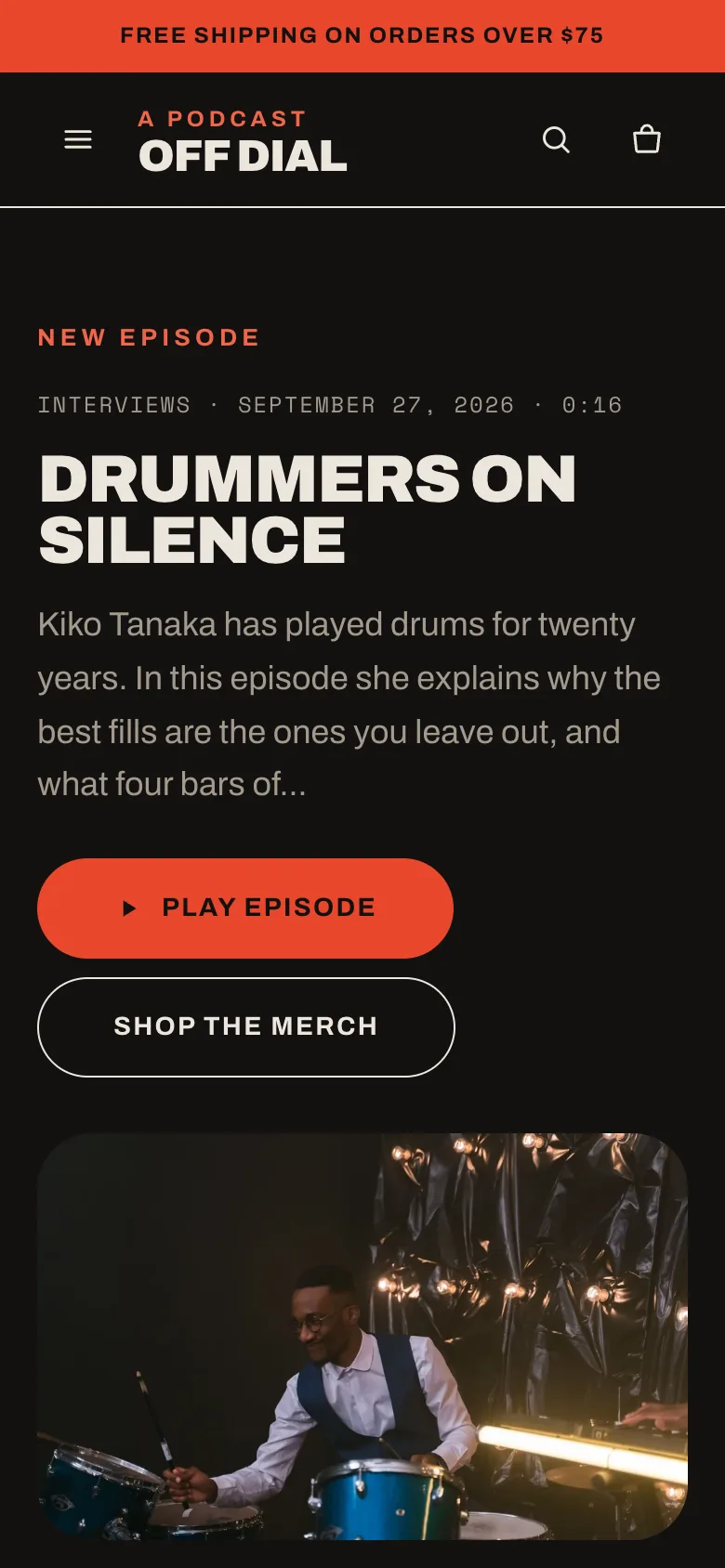
Roomtone home page: the latest episode, Drummers on silence, with play and shop buttons next to a photo of the drummer. The same home page on a phone.
EpisodesBlog posts with audio, chapters and episode numbers
PlayerBuilt in, keyboard friendly, no app needed
MembershipIts own product template with tiers and FAQs
5 schemesColor schemes you can set per section

What it does

The show is the story. The store is the point.

Most podcasts host their episodes somewhere else and send listeners to Shopify only to buy. Roomtone brings the episodes into the store, so every play is one scroll away from the merch.

01 / Episodes

Episodes that play in place

Publish each episode as a blog post. Add the audio file and the theme builds the player, the chapter list and the archive.

  • Chapters from a simple list: 12:30 Chapter title, one per line
  • Speed control, seeking and a player that docks while listeners scroll
  • Series from post tags, with a filter on the archive page
  • Falls back to the browser's own audio controls without JavaScript
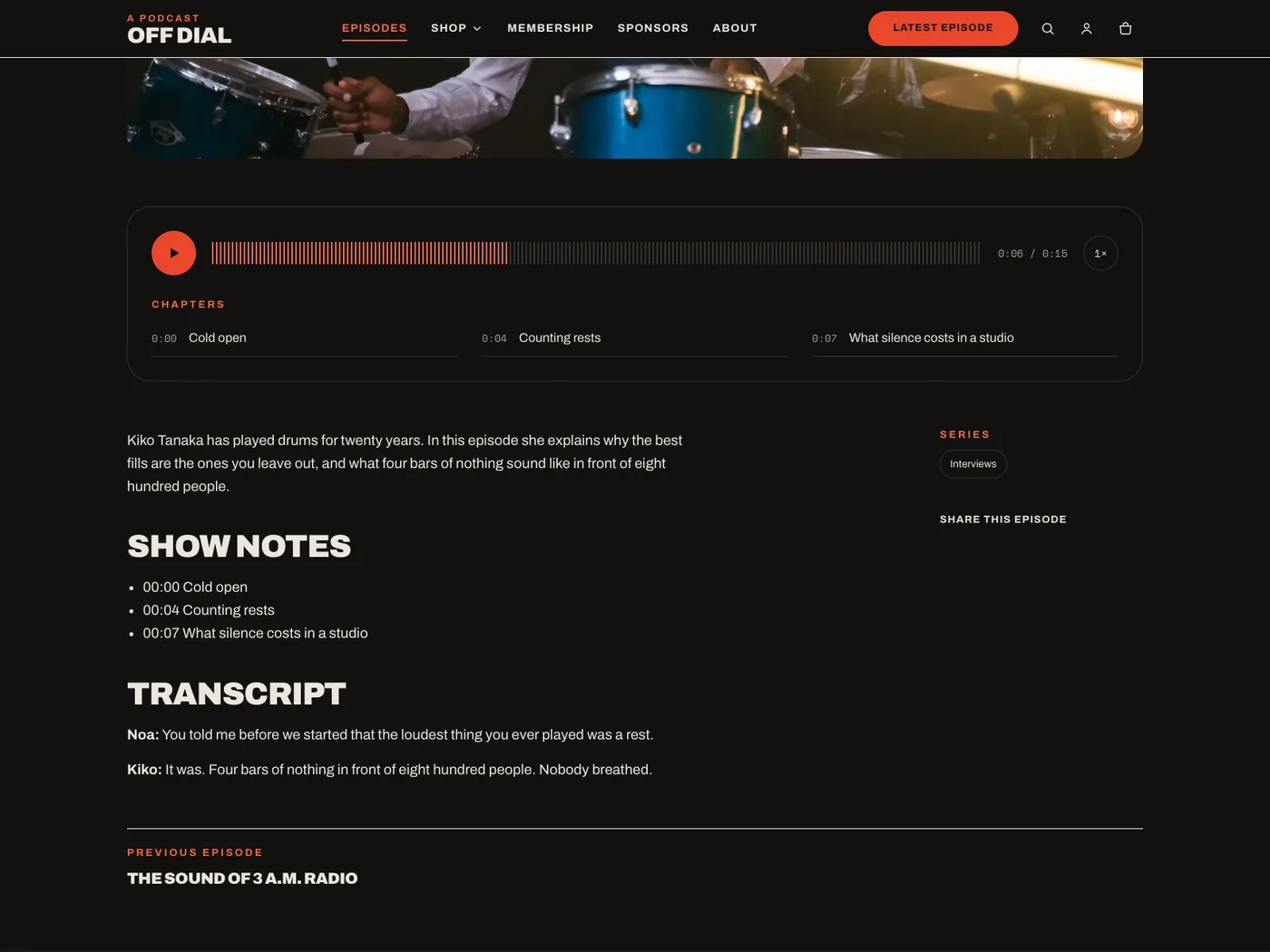
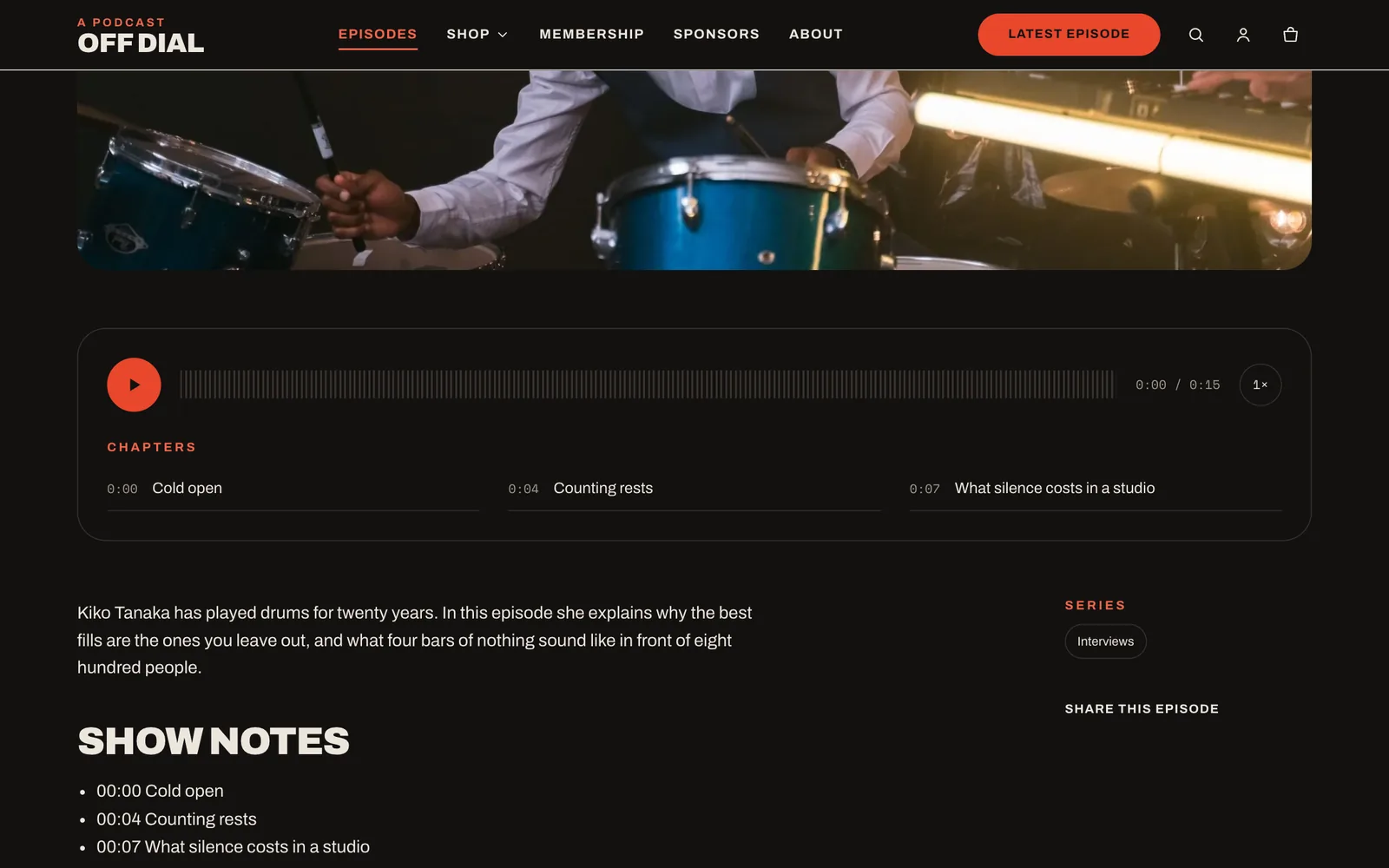
An episode page with the audio player, the chapter list and show notes.
02 / Membership

Sell a membership

A dedicated product template for supporter tiers, with perks, frequently asked questions and the purchase options your subscriptions app provides.

  • Tiers as product variants, subscription plans listed with their prices
  • Perk columns and an FAQ you edit in the theme editor
  • Checkout stays in Shopify, so payments and renewals are handled there
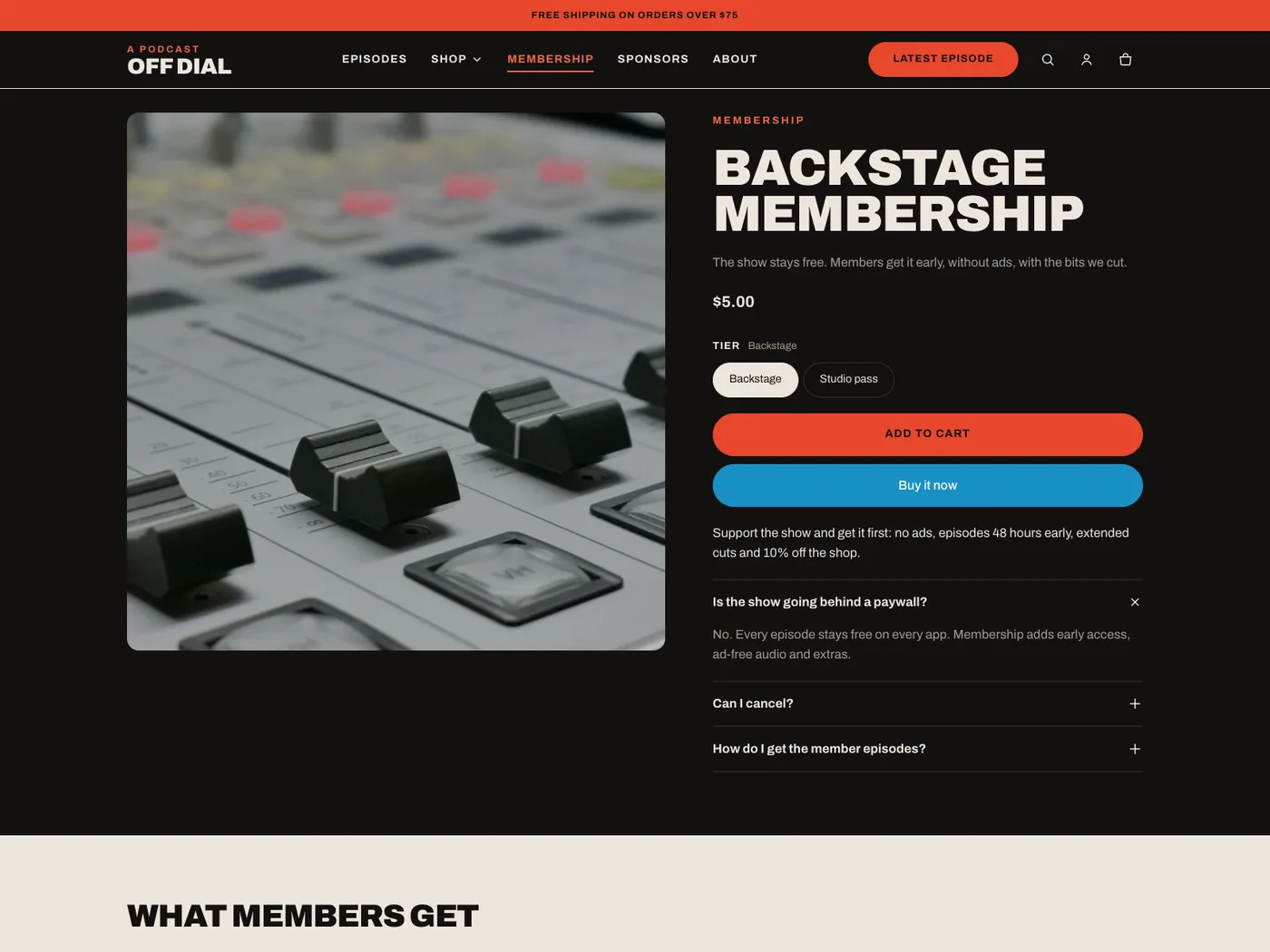
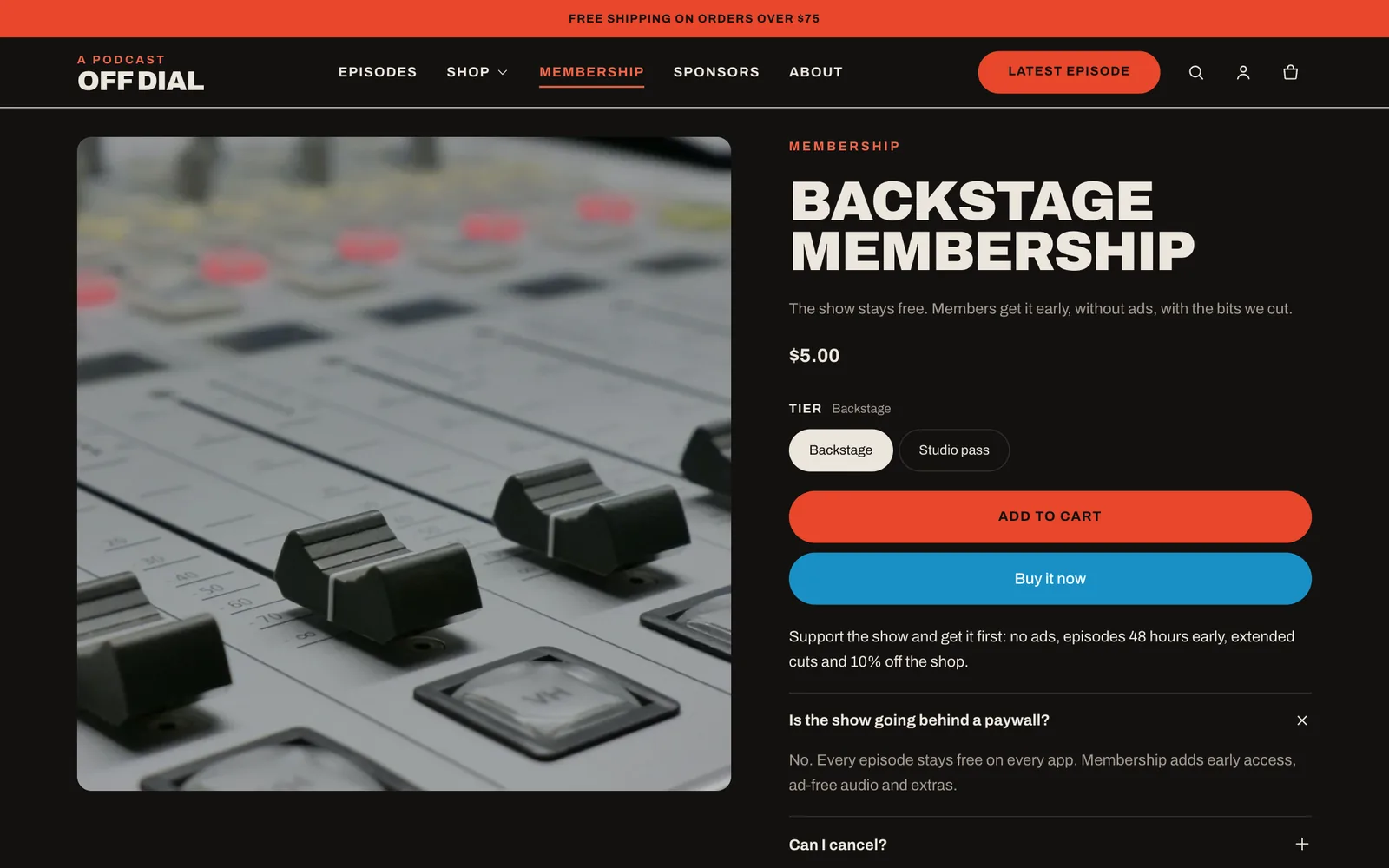
Membership product page with two tiers, a perks list and a frequently asked questions section.
03 / Merch

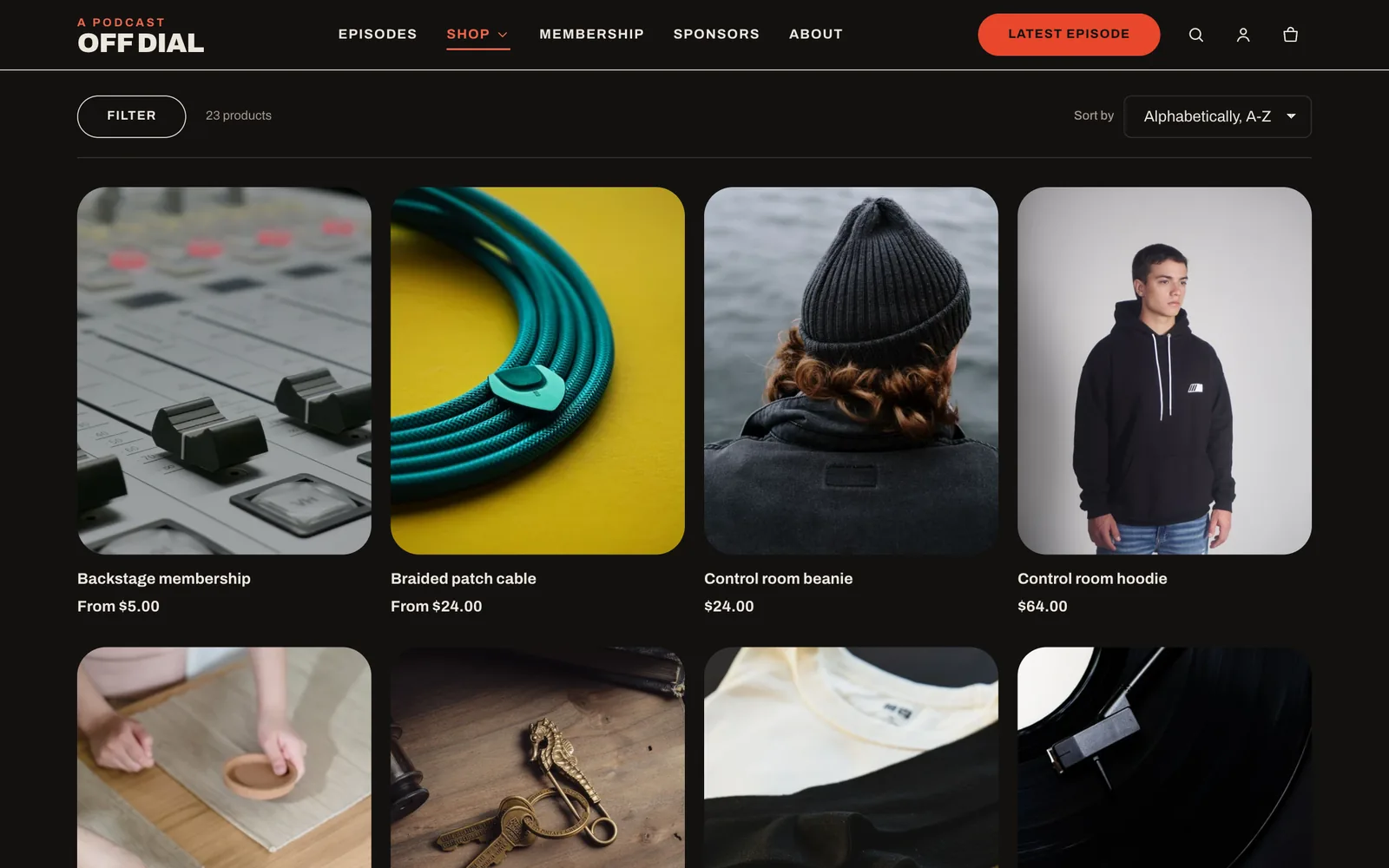
Merch that's easy to browse

Filters, sorting and swatches for the tees, totes and records your listeners actually buy.

  • Filter by availability, price, size and color, with color swatches
  • Swatches on product pages from Shopify's color metafields
  • Predictive search across products, collections, pages and episodes
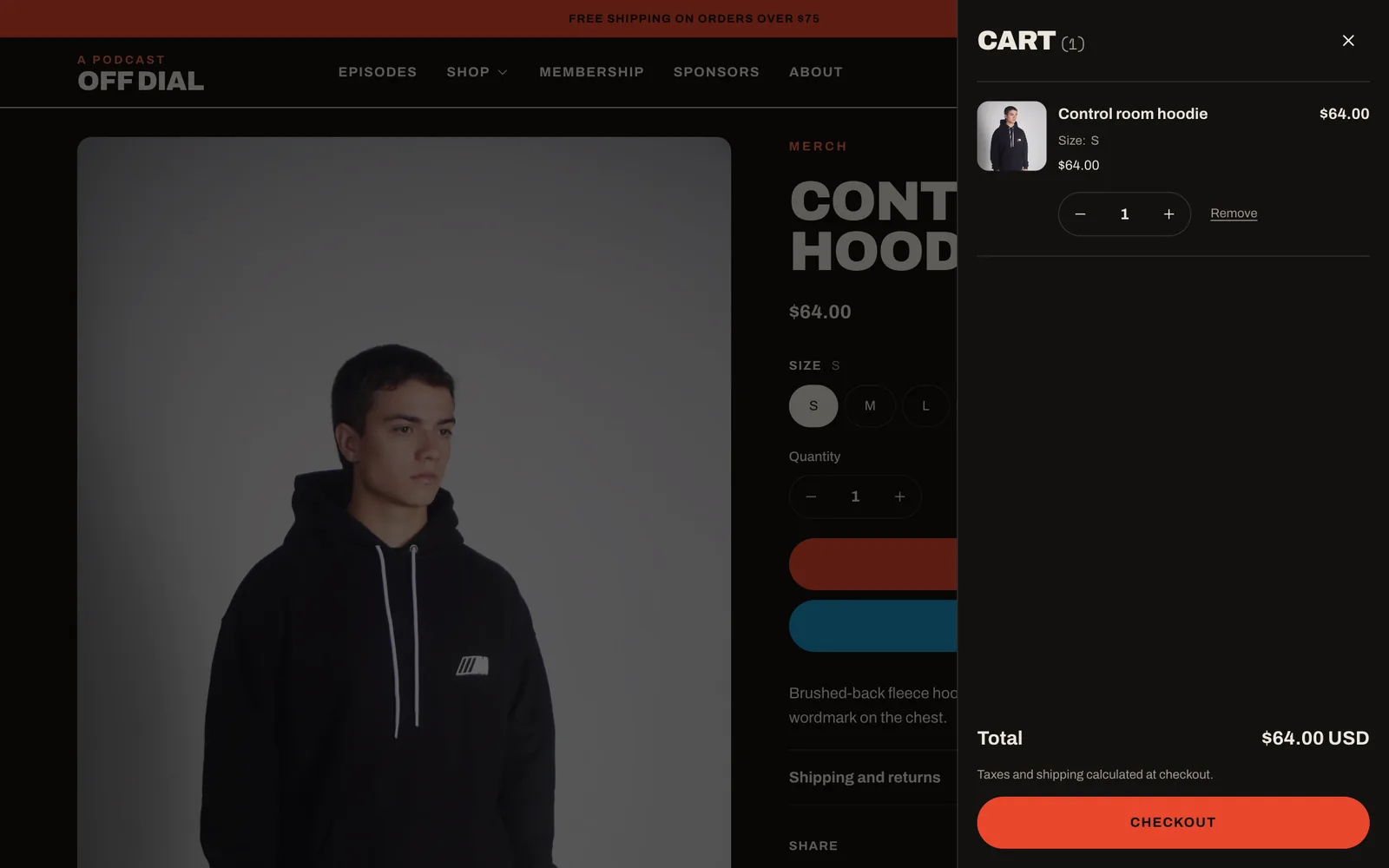
  • Cart drawer or cart page, with accelerated checkout buttons
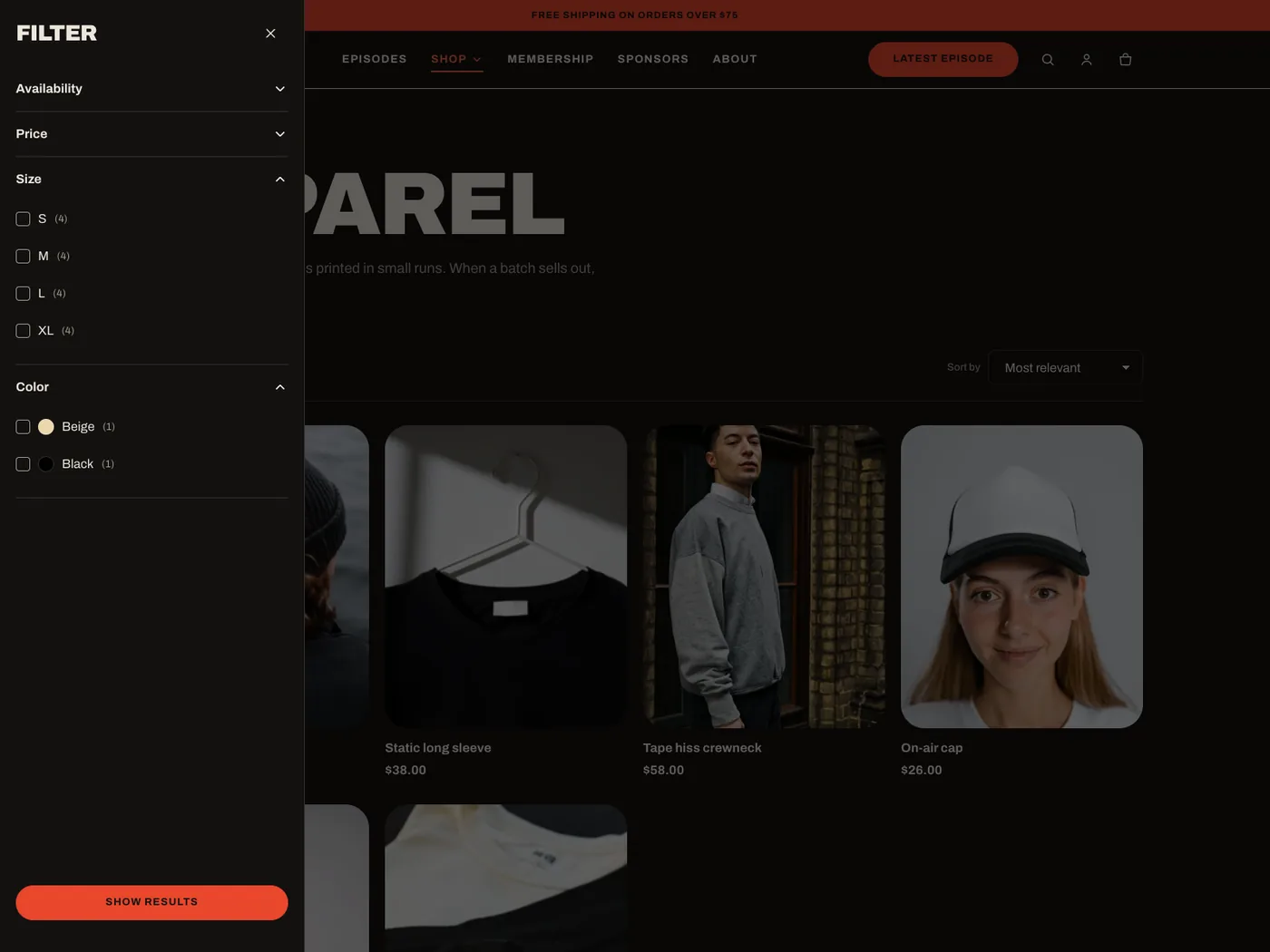
Apparel collection with the filter drawer open, showing size and color filters.

Screens

Every page, finished

The demo store, Off Dial, is a fictional podcast. Everything you see is built from theme sections you can move, hide or reuse.

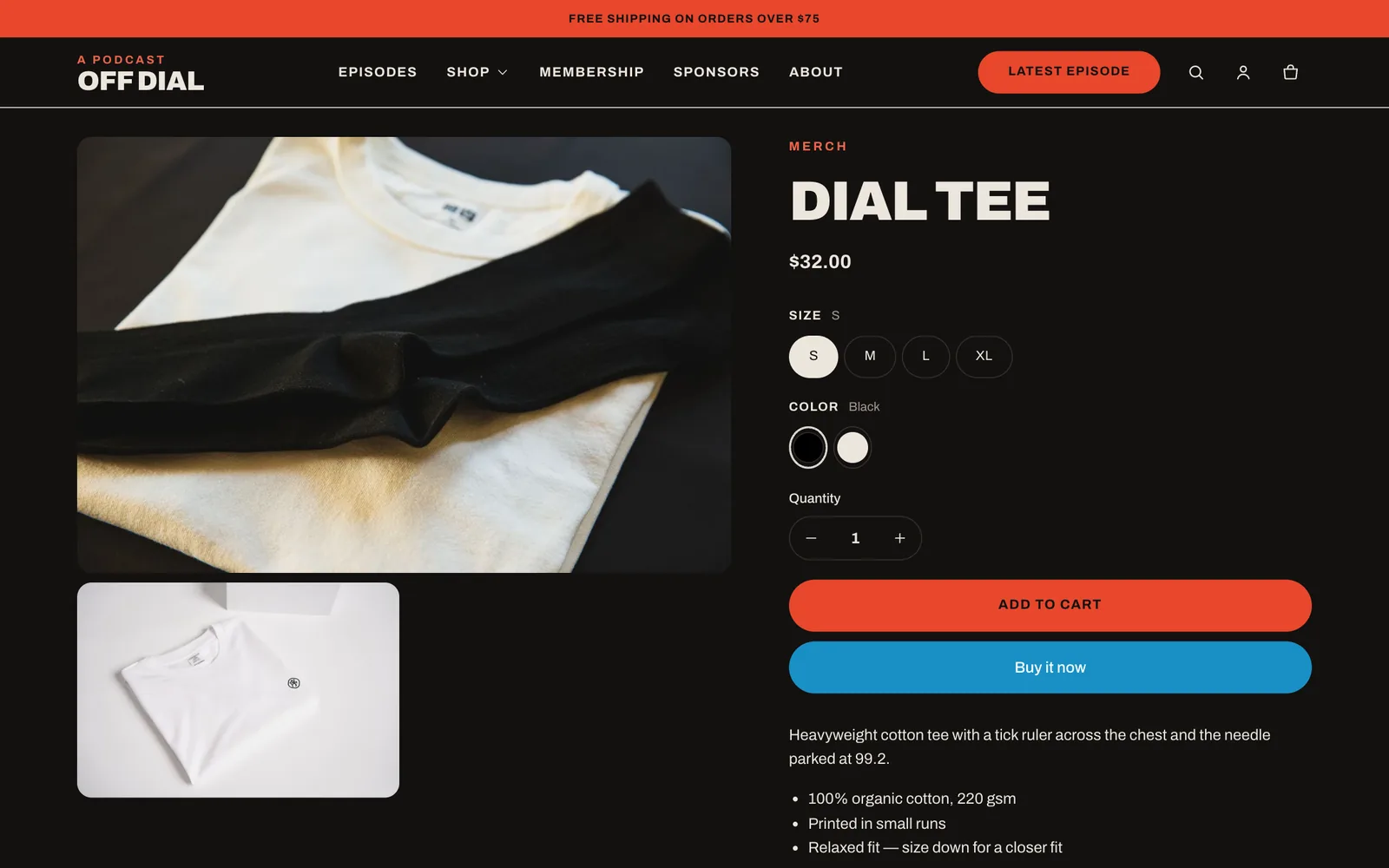
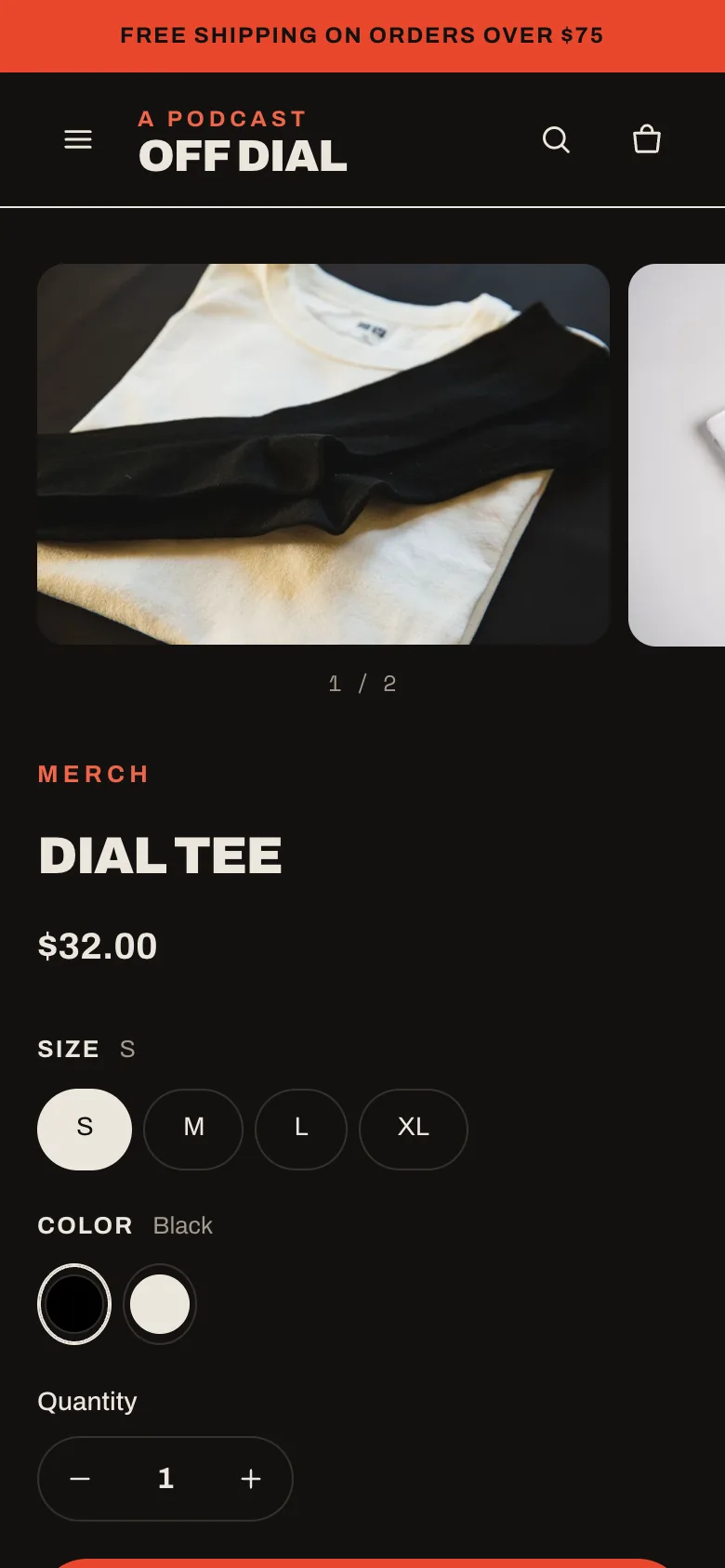
Product page for the Dial tee with size buttons and color swatches.
Product · swatches
Backstage membership product page with tier buttons.
Membership template
Collection page with a four-column product grid and a filter button.
Collection · filters
Episode page with the player and chapter list.
Episode · player
Cart drawer open over a product page, with a hoodie in the cart.
Cart drawer
Home page hero with the latest episode.
Home · latest episode
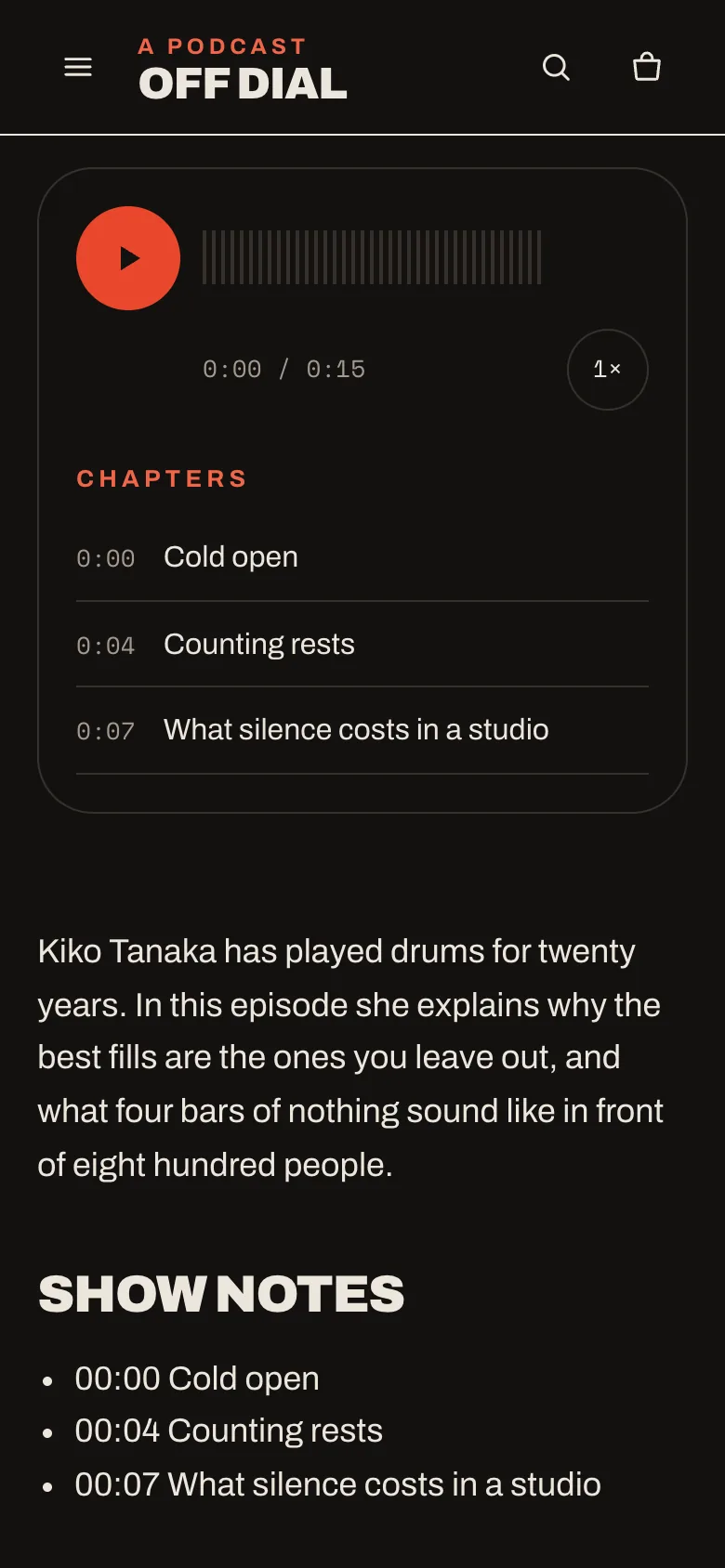
Episode player with chapters on a phone. Home page on a phone. Product page with an image carousel on a phone.

Included

Everything a store needs

Built on Shopify's Skeleton theme with Online Store 2.0 features throughout: JSON templates, section groups, app blocks and color schemes.

Sections everywhere

Every template is made of sections, including the header and footer groups.

Gift cards

Customers can send a gift card to someone else with a message and a delivery date.

Product media

Images, video, YouTube, Vimeo and 3D models, with variant images.

Recommendations

Related and complementary products, set with Shopify Search & Discovery.

Local pickup

Pickup availability on product pages when you offer local pickup.

Markets

Country, currency and language selectors in the header and footer.

Nested menus

Three levels of navigation on desktop and in the mobile drawer.

Sponsors page

A template with ad formats and a booking form for brands that want to sponsor the show.

Accessible

Keyboard navigation, visible focus, labelled forms and AA contrast in every preset scheme.

Questions

Before you install

Do I need an app for the audio player?

No. The player is part of the theme. Add an audio file or URL to a blog post with a metafield and the player appears on that episode.

Where do my episodes live?

In a Shopify blog. Keep hosting your podcast where you do now and paste the episode's audio URL into the post, or upload the file to Shopify.

How do memberships get paid for?

The membership is a normal product. To charge monthly or yearly, install a subscriptions app such as Shopify Subscriptions; the theme lists each plan and checkout handles the rest.

Can I use Roomtone if I don't run a podcast?

Yes. Every episode section is a blog section, and the store sections work for any catalog.

Where do I get help?

Read the documentation or send a request through the support form. We reply within two business days.

Roomtone 0.1.0

Press record.